Give your coding agent a browser.
Then check what it shipped.
Ascended Browser is an open-source, local browser MCP for Codex CLI, Claude Code and other MCP clients. Walk through your development app, inspect console logs and network requests, and collect evidence before changing code.
From a click to a useful report
Walk through the app
Open pages, inspect controls and perform a bounded flow using observed element refs.
Read what went wrong
Inspect console errors and failed network requests. Screenshots give the report visual context.
Inspect before retrying
Interrupted-action warnings surface uncertainty. They do not guarantee exactly-once clicks.
See the development workflow
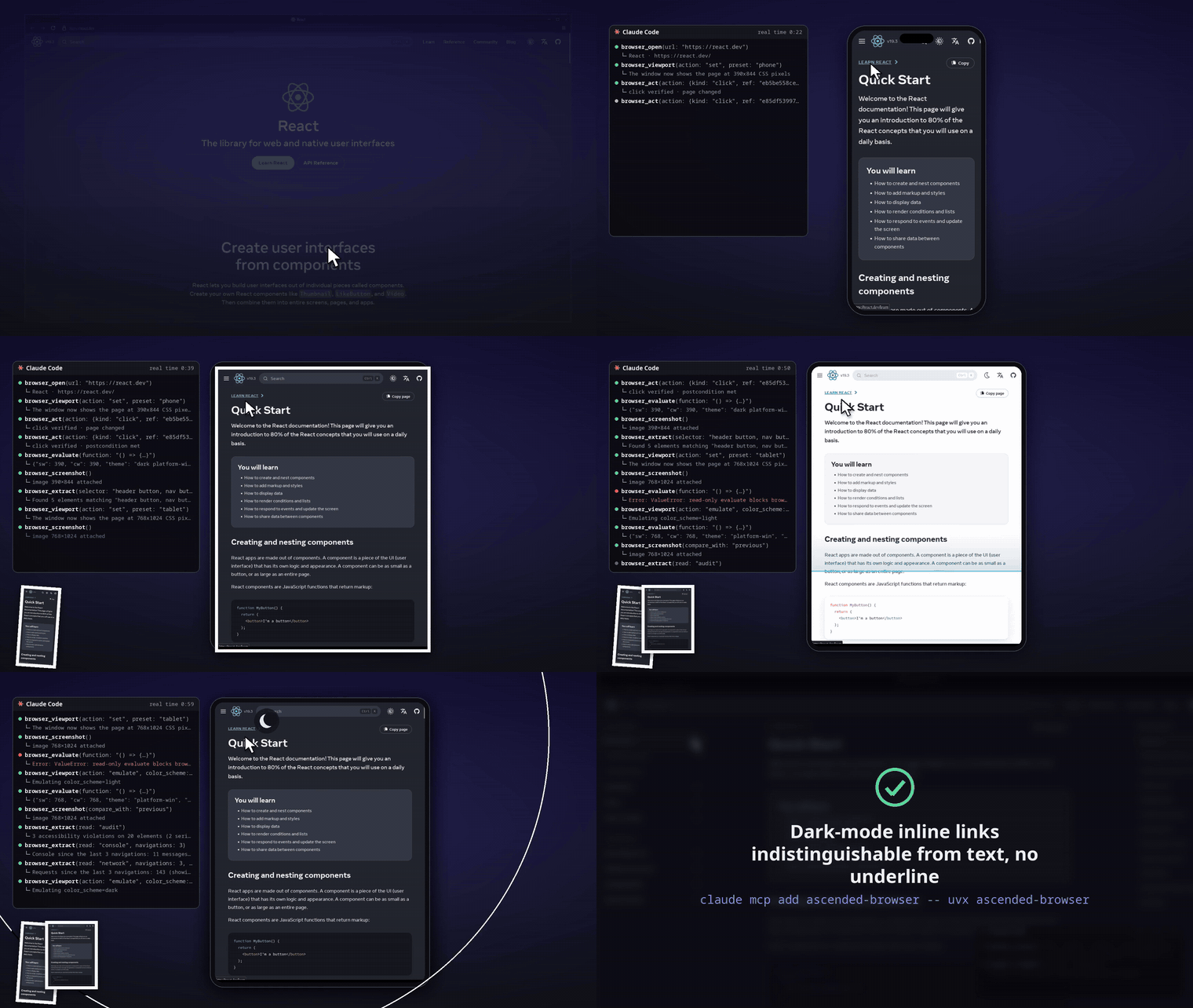
One connection, then a bounded task
Running Codex CLI over SSH and missing a browser? Run a browser MCP on the Linux machine where Codex runs. Follow the Codex CLI browser-over-SSH guide for commands, localhost behavior and alternatives. Ascended is one option, not the only browser MCP for Codex.
From your project directory, after checking prerequisites:
npx -y ascended-browser@0.1.5 doctor
npx -y ascended-browser@0.1.5 fetch
codex mcp add ascended-browser -- npx -y ascended-browser@0.1.5
The launcher needs Node/npm plus uv, pipx or Python 3.11+. The initial Camoufox download is about 700 MB. Follow the full setup guide for approval controls, a QA prompt and tested smoke-check commands.
QA recipes
Three distinct tasks, with instructions and evidence from an intentionally broken local fixture:
- Find console errors and failed network requests: correlate a failing request with the error shown in the app.
- Check responsive layouts: inspect a fixed-width overflow defect at phone and desktop sizes.
- Test a login-protected app: disposable sessions, restart behavior and the security boundary.
Pick the workflow, not the hype
Playwright MCP and Chrome DevTools MCP are valid alternatives; console and network inspection are not exclusive here. Ascended offers a local Camoufox-backed MCP with verified actions, bounded evidence and interrupted-action warnings. Choose it when that workflow fits your coding harness.
This is agent-assisted exploratory QA, not a validated CI integration or a replacement for deterministic regression tests. Linux is the documented tested platform. Mobile-sized viewports are responsive checks, not real mobile-device emulation. The saved-login vault is unencrypted, so use disposable accounts and read the security boundaries.
Start with a task you can reproduce
- Set up a browser MCP for Codex CLI or Claude Code: installation, prompt, console/network evidence and a report template.
- Give Codex CLI a browser on an SSH dev box: direct answer, setup commands, alternatives and recovery limits.
- Understand interrupted browser actions: the failure scenario, reproduction harness and limits of recovery warnings.
- Report an issue: include your client, package version, environment and a disposable reproduction.